
Documentation Index

Fetch the complete documentation index at: https://documentation.byteful.com/llms.txt

Use this file to discover all available pages before exploring further.

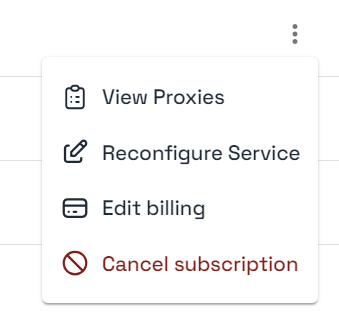
Datacenter, Static Residential, Mobile Data and Residential Data subscriptions can be cancelled through your Byteful dashboard by going to your Subscriptions Page and clicking the three dots next to the specific service. Byteful Cancellation Button

Cancellation

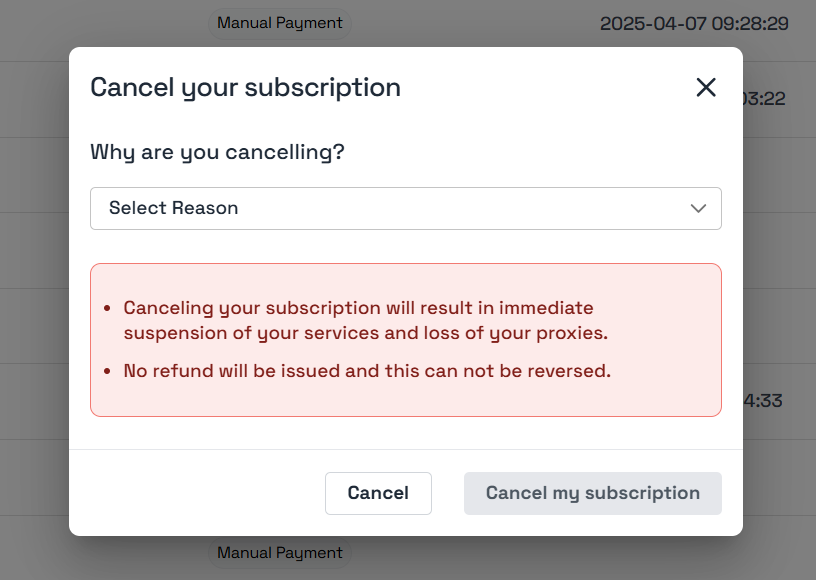
Once clicked, a pop-up will appear and it will allow you to cancel your subscription and service. You’ll be able to leave us feedback on the reason you are cancelling - we really appreciate any and all feedback as it helps us improve our services. If you have a Datacenter or Static Residential Proxies service then your proxies will be be lost instantly after confirming the cancellation and you will not be refunded unless customer support has specifically stated prior. If you are using residential or mobile data, cancelling a subscription and service will not effect your existing residential or mobile data. This data will remain on your account for your use in the future. Byteful Cancellation Options
Pause rather than cancel

Residential or mobile subscriptions can be easily and indefinitely paused rather than cancelled. This allows you to maintain the same service but take a break if you don’t need anymore data. While the service is paused, all invoices will be voided and you won’t be charged or credited new data until the subscription is unpaused. Pausing is not available to Static Residential or Datacenter Proxies.