
Documentation Index

Fetch the complete documentation index at: https://documentation.byteful.com/llms.txt

Use this file to discover all available pages before exploring further.

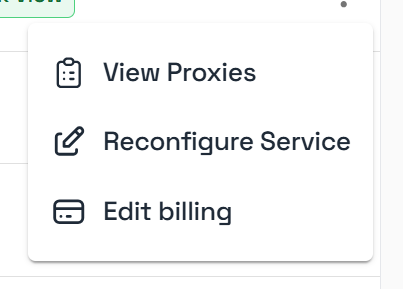
Datacenter, Static Residential, Mobile Data and Residential Data services can be reconfigured and resized through your Byteful dashboard by going to your Summary Page and clicking the three dots next to the specific service. Service options menu

Reconfiguration Options

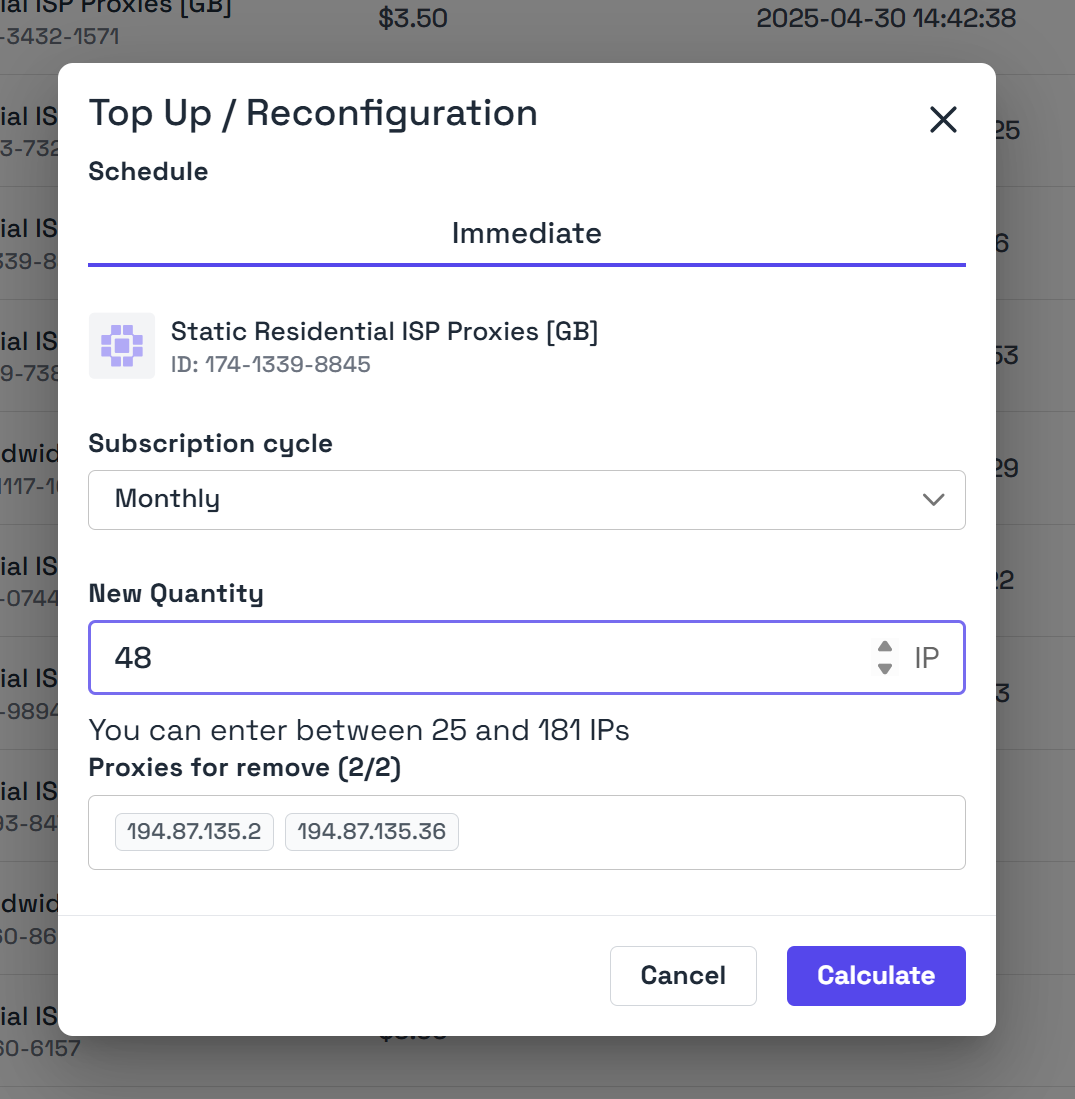
Once clicked, a pop-up will appear and it will allow you to change your subscription payment cycle. Service reconfiguration options
Reconfiguration Review

After making your reconfiguration options, you can click calculate to get a preview of the change. This will show you the new billing date of the subscription along with amount due immediately.

Changes in payment cycle will usually occur after at your next billing cycle.

Can’t reconfigure your service?

Some services may not be reconfigurable and when you attempt to reconfigure them you’ll see an error. This is usually the case if you’ve received a bespoke service or have a discount code applied to the service which is no longer supported.