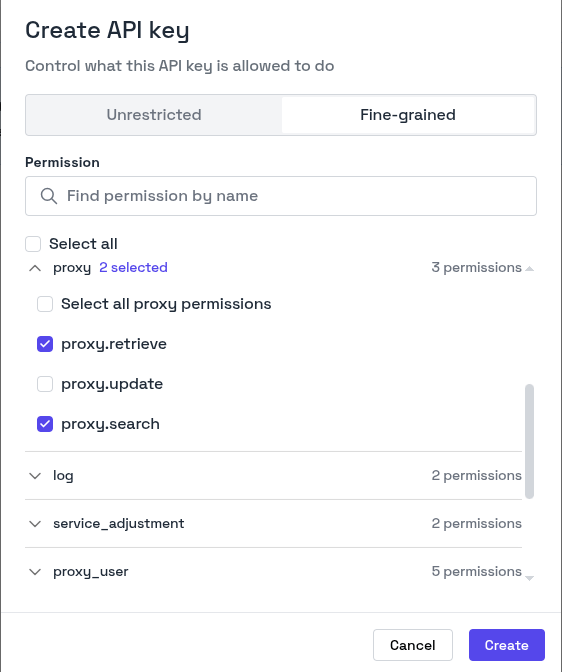
- An Unrestricted key has full access. It can perform all actions across all resources.
- A Fine-grained key can only perform the actions that you select.
In an organization, only Admins can create and manage API keys.
Creating an API Key
- In the sidebar, click Developer & API.
- On the Total API Keys tab, click + Create API key.
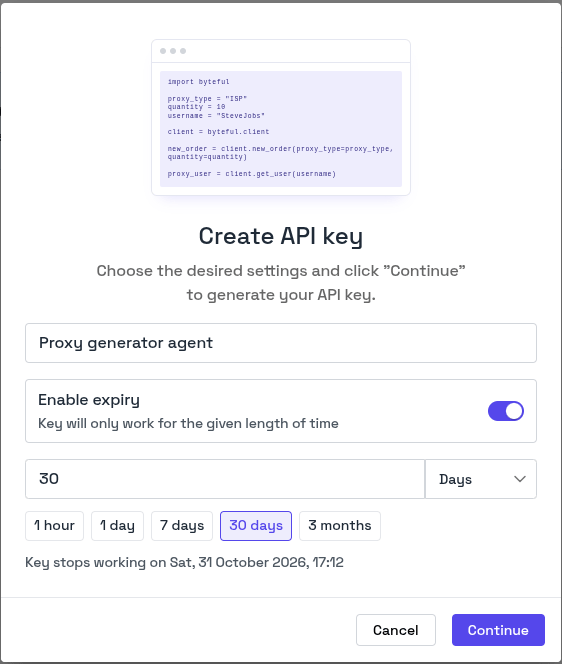
- Enter a name for the key.
- To make the key expire, turn on Enable expiry. Then enter a length of time, or click a preset such as 30 days.
- Click Continue.
- To give the key full access, keep Unrestricted selected.
- To limit the key, click Fine-grained, then select its permissions. See Selecting Permissions.
Selecting Permissions
When you click Fine-grained, the modal shows the permissions grouped by object, for exampleproxy, proxy_user and service. Each permission has the name resource.action, for example proxy.search.