> ## Documentation Index
> Fetch the complete documentation index at: https://documentation.byteful.com/llms.txt
> Use this file to discover all available pages before exploring further.
# Proxy Authentication Types
> Understanding and choosing between different proxy authentication methods
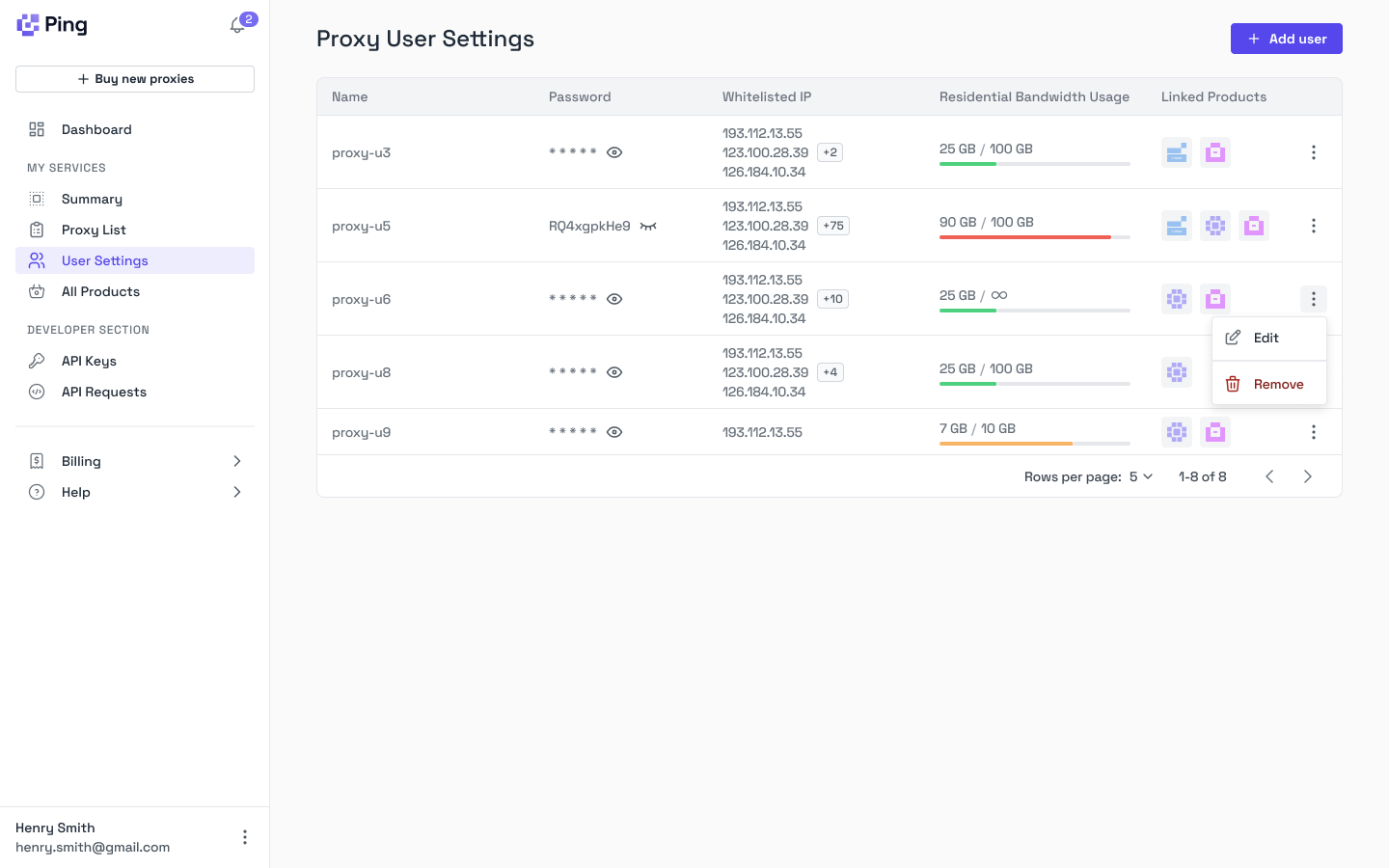 Byteful supports multiple authentication methods to provide flexible, secure access to your proxies. Our innovative [Proxy User and IAM system](https://dashboard.byteful.com/proxy-users) lets you create and manage proxy users, track their usage, limit residential/mobile data, and link their access to specific proxies and services—all from our dashboard.
## Authentication Methods
### Proxy User Authentication
This authentication type allows you to create a Proxy User and access all available proxies using their username and password credentials.
* **Benefits**: Use consistent credentials across all your proxies
* **Recommended for**: Resellers who want to assign each customer a dedicated proxy user with access to specific services
### IP Authentication
With IP authentication, you can access your static proxies without entering username and password credentials. This method works by:
1. Creating a proxy user
2. Attaching a whitelisted IP address to that user for authentication
**Important**: Each whitelisted IP address must be unique and cannot be assigned to multiple proxy users.
IP Authentication is not available on our rotating residential/mobile data network since the username parameters are used to infer targeting and geolocation settings.
All authentication methods can be managed through our dashboard or programmatically via our API.
Byteful supports multiple authentication methods to provide flexible, secure access to your proxies. Our innovative [Proxy User and IAM system](https://dashboard.byteful.com/proxy-users) lets you create and manage proxy users, track their usage, limit residential/mobile data, and link their access to specific proxies and services—all from our dashboard.
## Authentication Methods
### Proxy User Authentication
This authentication type allows you to create a Proxy User and access all available proxies using their username and password credentials.
* **Benefits**: Use consistent credentials across all your proxies
* **Recommended for**: Resellers who want to assign each customer a dedicated proxy user with access to specific services
### IP Authentication
With IP authentication, you can access your static proxies without entering username and password credentials. This method works by:
1. Creating a proxy user
2. Attaching a whitelisted IP address to that user for authentication
**Important**: Each whitelisted IP address must be unique and cannot be assigned to multiple proxy users.
IP Authentication is not available on our rotating residential/mobile data network since the username parameters are used to infer targeting and geolocation settings.
All authentication methods can be managed through our dashboard or programmatically via our API.