> ## Documentation Index
> Fetch the complete documentation index at: https://documentation.byteful.com/llms.txt
> Use this file to discover all available pages before exploring further.
# Creating an Organization
> Learn how to create an organization workspace for your team, alongside your personal workspace
An organization is a shared workspace for your team. It has its own proxies, services, billing, API keys and members. Your personal workspace stays separate, and you can switch between them at any time.
If you want to move your existing services into an organization instead, see [Converting a Personal Workspace](/general/organizations/converting-a-personal-workspace).
An organization shows its name and your role in it, for example **Organization • Admin**. Your personal workspace shows as **Personal**.
## Creating an Organization
1. Click the popup at the bottom of the sidebar.
2. Click **Create organization**.
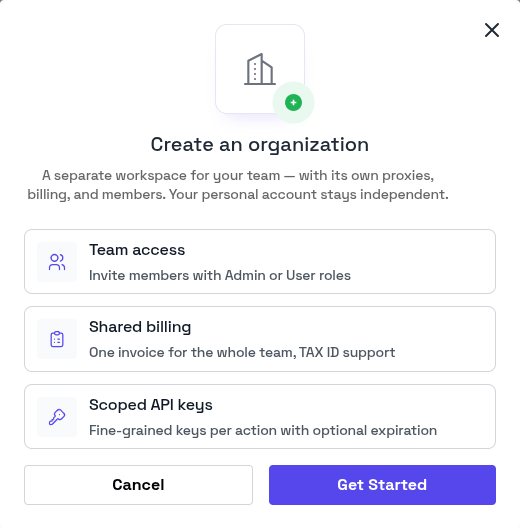 Byteful creates the organization and switches you into it. Any invitations that you added are sent at this point.
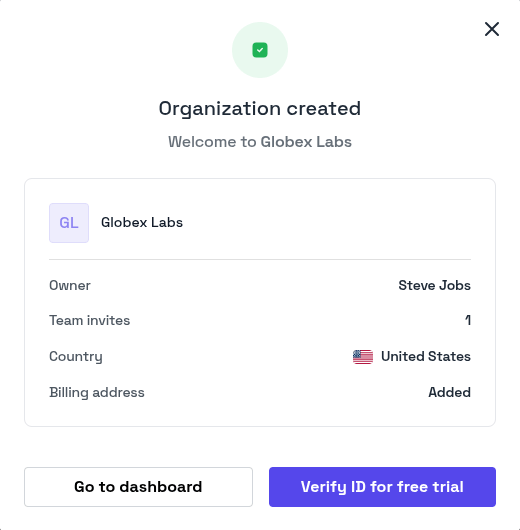 To add members, see [Managing Team Members](/general/organizations/managing-team-members).
You can own up to 3 organizations, if you feel as though you need more then please contact our support team.
This documentation is built and hosted on [Mintlify](https://mintlify.com), a developer documentation platform.
To add members, see [Managing Team Members](/general/organizations/managing-team-members).
You can own up to 3 organizations, if you feel as though you need more then please contact our support team.
This documentation is built and hosted on [Mintlify](https://mintlify.com), a developer documentation platform.