> ## Documentation Index
> Fetch the complete documentation index at: https://documentation.byteful.com/llms.txt
> Use this file to discover all available pages before exploring further.
# Editing a Proxy User
> Learn how to edit your proxy users through the Byteful dashboard
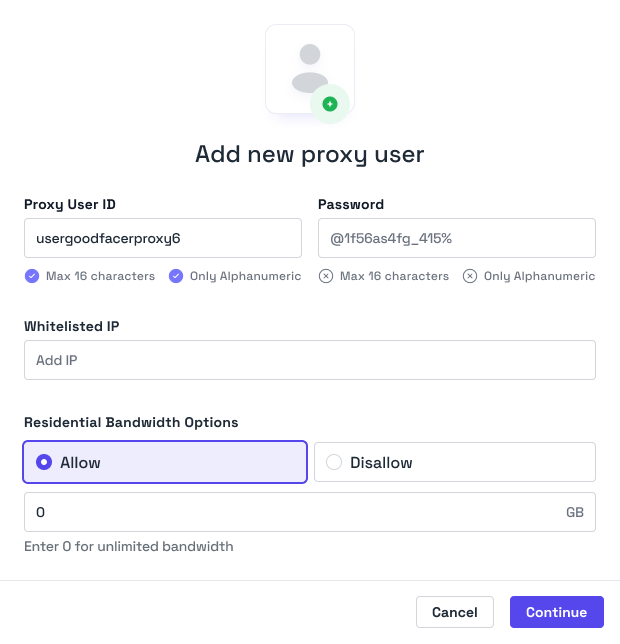
You can edit your Proxy Users via our dashboard and Proxy User management section. Simply click edit next to a Proxy User and then you'll be able to edit their details.
 ## Editable Attributes
| Attribute | Limitation |
| --------------------------- | ------------------------------------- |
| Proxy User Password | 10-32 Alphanumeric |
| Proxy User Residential Data | Integer greater than current GB usage |
| Proxy User Mobile Data | Integer greater than current GB usage |
| IP Authentications | Maximum of 3 per Proxy User |
| Access Control | Managed via Proxy User ACL objects |
## Editing Process
1. Navigate to the Proxy User management section in your dashboard
2. Find the proxy user you want to edit
3. Click the "Edit Authentication" button next to their name to alter the password or IP authentication, or "Edit Limits" to adjust the residential or mobile pool allowances and other service access.
4. Make your desired changes to any of the editable attributes
5. Click "Save" to apply your changes
## IP Authentication
IP authentication allows proxy access based on client IP address without sending credentials in each request. You can add up to 3 IP addresses per proxy user for authentication purposes. Each IP address can only belong to a single proxy user at any given time.
## Limits
## Editable Attributes
| Attribute | Limitation |
| --------------------------- | ------------------------------------- |
| Proxy User Password | 10-32 Alphanumeric |
| Proxy User Residential Data | Integer greater than current GB usage |
| Proxy User Mobile Data | Integer greater than current GB usage |
| IP Authentications | Maximum of 3 per Proxy User |
| Access Control | Managed via Proxy User ACL objects |
## Editing Process
1. Navigate to the Proxy User management section in your dashboard
2. Find the proxy user you want to edit
3. Click the "Edit Authentication" button next to their name to alter the password or IP authentication, or "Edit Limits" to adjust the residential or mobile pool allowances and other service access.
4. Make your desired changes to any of the editable attributes
5. Click "Save" to apply your changes
## IP Authentication
IP authentication allows proxy access based on client IP address without sending credentials in each request. You can add up to 3 IP addresses per proxy user for authentication purposes. Each IP address can only belong to a single proxy user at any given time.
## Limits
 ### Residential and Mobile Data Allocation
You can edit the proxy user's residential or mobile pool allowance clicking Edit Limits next to the proxy user on the dashboard.
### Other Services
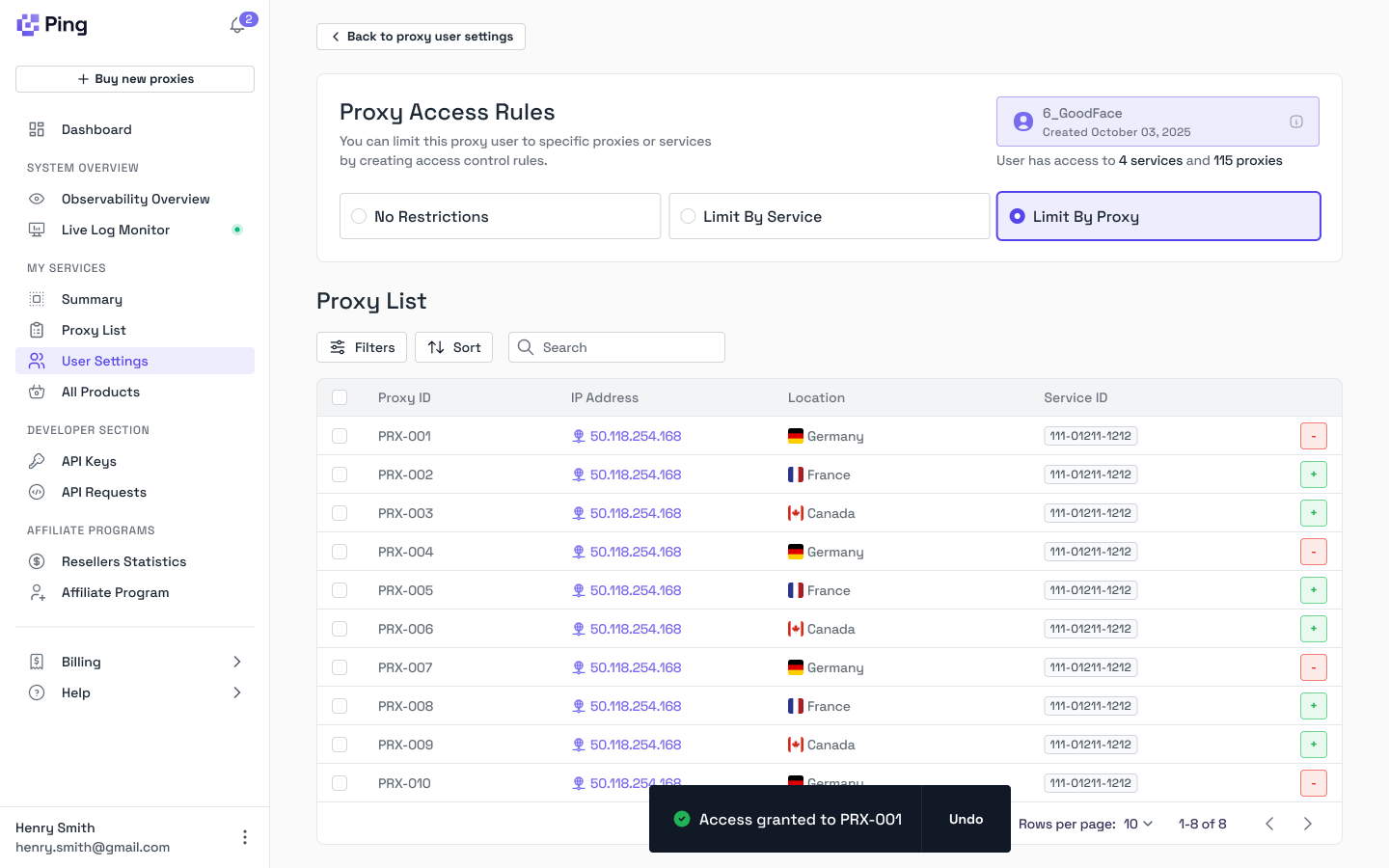
You can control which proxies a proxy user can access using the `proxy_user_access_type` field and Proxy User ACL entries:
* **Unrestricted Access (`"all"`)**: The proxy user can access all proxies in your account
* **Service Restricted (`"service_restricted"`)**: The proxy user can only access proxies within specific services. Create Proxy User ACL entries to grant access to services.
* **Proxy Restricted (`"proxy_restricted"`)**: The proxy user can only access specific individual proxies. Create Proxy User ACL entries to grant access to proxies.
Use the Proxy User ACL endpoints to manage which services or proxies a restricted proxy user can access. See the [Proxy User Access Control guide](/api-explainers/proxy-user-access-control) for more details.
### Residential and Mobile Data Allocation
You can edit the proxy user's residential or mobile pool allowance clicking Edit Limits next to the proxy user on the dashboard.
### Other Services
You can control which proxies a proxy user can access using the `proxy_user_access_type` field and Proxy User ACL entries:
* **Unrestricted Access (`"all"`)**: The proxy user can access all proxies in your account
* **Service Restricted (`"service_restricted"`)**: The proxy user can only access proxies within specific services. Create Proxy User ACL entries to grant access to services.
* **Proxy Restricted (`"proxy_restricted"`)**: The proxy user can only access specific individual proxies. Create Proxy User ACL entries to grant access to proxies.
Use the Proxy User ACL endpoints to manage which services or proxies a restricted proxy user can access. See the [Proxy User Access Control guide](/api-explainers/proxy-user-access-control) for more details.