> ## Documentation Index
> Fetch the complete documentation index at: https://documentation.byteful.com/llms.txt
> Use this file to discover all available pages before exploring further.
# Edit Payment Method
> Learn how to update your subscription payment method and automatic renewal settings in your Byteful dashboard
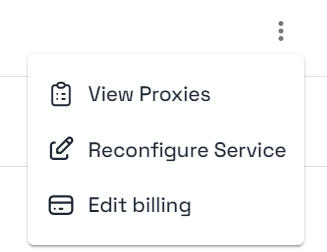
Subscription billing information can be edited through your Byteful dashboard by going to your Subscriptions Page and clicking the three dots next to the specific service.
 ## Edit Options
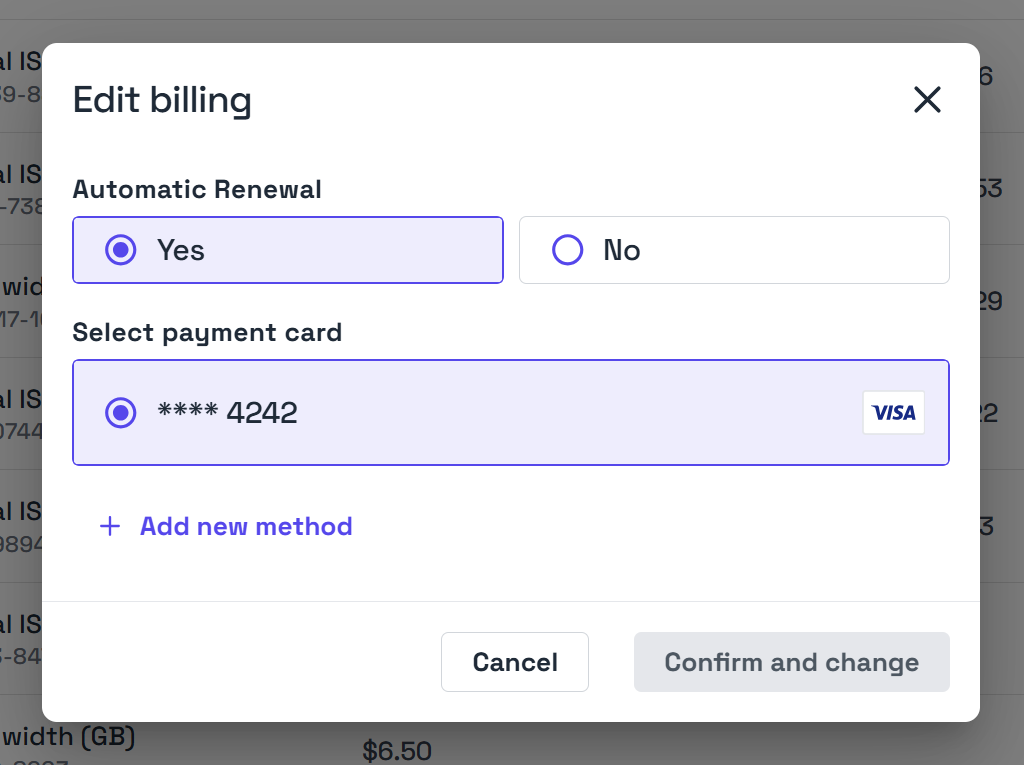
There are two main options when editing your subscription billing information.
### Automatic Renewal
This controls whether your payment card will be automatically charged and the subscription extended. If you pay via cryptocurrency or other methods such as store credit, then this will be set to No.
### Payment Card
This controls the payment card that an subscription will create an automatic charge from. Payment card can only be selected when Automatic Renewal is set to Yes.
## Edit Options
There are two main options when editing your subscription billing information.
### Automatic Renewal
This controls whether your payment card will be automatically charged and the subscription extended. If you pay via cryptocurrency or other methods such as store credit, then this will be set to No.
### Payment Card
This controls the payment card that an subscription will create an automatic charge from. Payment card can only be selected when Automatic Renewal is set to Yes.